Lenny's Podcast
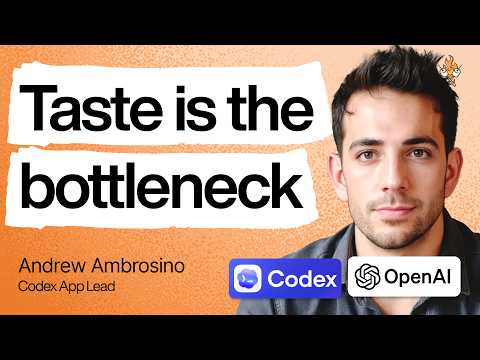
OpenAI Codex lead on the new shape of product work | Andrew Ambrosino
Summarised with Bite · 19 min read
Andrew Ambrosino explains why AI has flipped product work upside down. Building is no longer the scarce part, choosing what matters, framing it well, and having the taste to know what to ship has become the real bottleneck. The Codex story matters because it shows what product teams look like when everyone can prototype, roles start to blur, and the best ideas may fail or win based mostly on model timing.
3:07 – 10:22
When building became cheap, product work flipped upside down
The striking image is not one engineer with an AI copilot. It is Andrew saying that inside OpenAI, nearly everyone is building. His blunt summary is that product work is now "backwards." A few years ago, teams treated implementation like the expensive part. You wrote docs, ran research, made prototypes, and tried to de-risk every decision before asking engineers to spend precious time building the thing. That whole logic depended on one old assumption: software was costly to make. Now, Andrew says, "anybody can build anything" from scratch with frontier models. That has changed the economics of product development more than most teams have emotionally caught up with. At OpenAI, if there is a feature people want, there might be "90 different uncoordinated teams" already trying versions of it. The hard part is no longer getting a prototype into existence. The hard part is deciding which of those 90 attempts actually deserves to survive. This is where he introduces the word that keeps coming back through the conversation: taste. He knows it sounds fuzzy, so he tries to pin it down. Taste is partly aesthetic, yes, but much more than that. It is systems thinking. It is knowing how something fits into the product, what theme it serves, whether the interaction matches the meaning, whether a feature belongs here or should be folded into something else. In a world of abundant implementation, taste becomes the filter that keeps teams from drowning in their own output. Lenny pushes on whether this means documents are dead. Andrew says no. In fact, he thinks people are overcorrecting. Non-engineers now rush into prototypes because they can. Engineers, meanwhile, still produce long docs that are often not worth reading. His real point is simpler and more useful: choose the right medium for the question. If you need product clarity in a fuzzy area, a doc may still be best. If you need to feel an interaction, use a prototype. The danger is confusing polished-looking output with validated thinking. A prototype can arrive so production-ready that everyone forgets it was only meant to explore an idea. That is the new failure mode.
6 more sections in the app
- 12:26 – 16:37Why design is harder for AI than code, and why novelty is the missing piece
- 17:09 – 20:44The design process is dead, except for the part that still matters
- 21:46 – 30:03Role collapse is real, but throwing away specialties is a mistake
- 30:35 – 38:35Sometimes the product is right and the timing is wrong
- 42:03 – 59:03Codex stopped being a coding app the moment non-coders refused to leave
- 59:33 – 1:09:15Fifteen years of failure, then suddenly the timing lines up
Summarised by Bite, an AI YouTube video summarizer that also works as a podcast summarizer.