TED
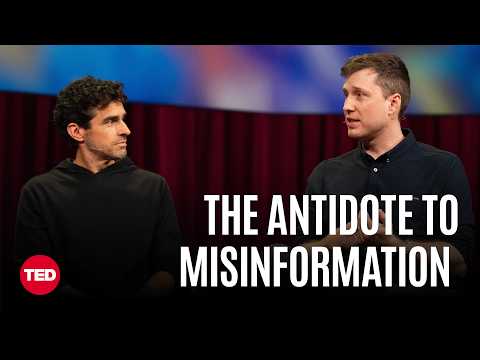
How Community Notes Reduce Viral Misinformation | Keith Coleman, Jay Baxter | TED
Summarised with Bite · 16 min read
This TED conversation explains why Community Notes works when so many fact-checking systems struggled: it does not ask people to trust a company or an expert panel, it asks them to trust notes that survive scrutiny from people who usually disagree. The bigger idea is even more surprising, that the same machinery used to slow misinformation might also surface common ground across polarized groups, turning social media from a conflict machine into a bridge-building tool.
0:04 – 2:41
A random internet user corrects the White House
The conversation opens on a striking image: a post about Iran claims the USS Lincoln has been damaged and shows supposed evidence, but the image is AI-generated. On the right sits the key intervention, a box that says, “readers added context they thought people might want to know.” Jay Baxter explains that this note is not written by a staff moderator or a famous expert. It is written by a regular contributor, and it only appears after people from different perspectives rate it as helpful. That detail matters because Community Notes is not just trying to label falsehoods. It often adds context to things that are technically correct but still misleading. Keith Coleman pushes that principle further: every post is eligible, including posts from heads of state, from X itself, and even from Elon Musk. He gives the most memorable example in the talk: in at least one case, the White House removed a post and issued an updated statement because of a note written by, as he puts it, “a random person on the internet.” Audrey Tang sharpens the image by adding that she heard a teenager caused one such retraction. Coleman calls that “a superpower for people.” That is the unexpected angle of the whole system. Most moderation tools feel top-down, like a referee blowing a whistle. Community Notes is closer to giving the crowd a shared annotation pen, but only when the crowd proves it can agree across disagreement. That is why people trust it more than a generic misinformation warning. The note itself is usually specific. It points to what is wrong, cites sources, and explains the issue in plain language. Instead of saying, “be skeptical,” it says, in effect, “here is the exact seam where this claim comes apart.” Tang frames it as a “context-engine for news,” and that phrase captures the deeper ambition. The product is not just trying to catch lies. It is trying to make public conversation less fragile by giving ordinary people a way to attach shared reality directly to viral posts.
4 more sections in the app
- 2:41 – 7:26Why old fact-checking systems kept losing
- 8:30 – 11:38What happens after a note lands, and why that matters
- 12:09 – 19:30The arms race: gaming, speed, and AI co-writing with humans
- 19:31 – 24:45From correcting lies to surfacing common ground