Fireship
Claude just got another superpower...
Summarised with Bite · 6 min read
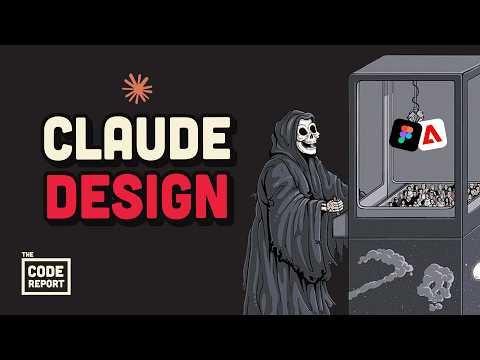
Anthropic just launched Claude Design, a new Opus 4.7-powered tool that converts rough Figma files and text prompts into interactive prototypes, animations, and production-ready UIs—no design tools required. While the cherry-picked demos look impressive, real-world testing reveals a frustratingly slow, inconsistent tool that might not quite spell the end of human designers yet.
0:00 – 1:32
The Launch That Shook Nobody (Except UI Designers)
On April 21, 2026, Anthropic unveiled Claude Design, and the reaction was predictably theatrical. Figma's stock allegedly dropped 7%, LinkedIn servers buckled under the weight of junior UI designers frantically rebranding themselves as "prompt engineers," and the tech world declared another profession obsolete. Built on the new Opus 4.7 model—marketed as "more tasteful and creative" than its predecessor, which really just means "we stopped defaulting to purple gradients"—Claude Design promises to turn half-baked Figma sketches into fully interactive prototypes, pitch decks, and production-ready interfaces. The model now processes images at 3.75 megapixels (up to 2576 pixels on the long edge), a significant leap for design work. On programming benchmarks, it scored 87.6% on software engineering tests, crushing its predecessor Opus 4.6 but still trailing the enigmatic Mythos model. Yet despite these "Trust Me Bro" benchmark numbers, a vocal corner of the internet insists Opus 4.7 is actually worse than 4.6, spinning conspiracy theories that Anthropic deliberately nerfed the older model to make the new one look better at launch. The demos, however, tell a different story—at least on the surface.
2 more sections in the app
- 1:32 – 3:03What Makes Claude Design Different (On Paper)
- 3:03 – 4:06The Reality Check: Building Horse Tinder
Summarised by Bite, an AI YouTube video summarizer that also works as a podcast summarizer.