Zubair Trabzada | AI Workshop
Claude Design 2.0 Major Upgrades Explained
Summarised with Bite · 11 min read
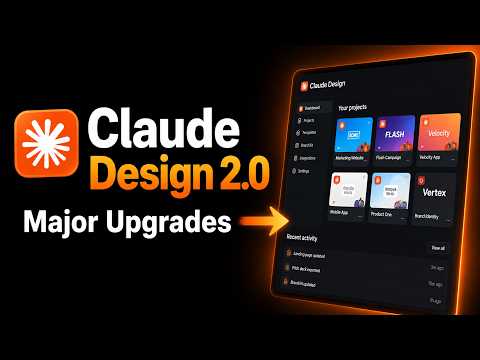
This video is a hands-on walkthrough of Claude Design 2.0, focused on what actually changed and why those changes matter in day-to-day work. The big story is that Claude Design is moving from a neat demo tool into something much closer to a real production workflow, with shared usage limits, direct design-system syncing from Claude Code, canvas editing, richer sharing, and connector support that can push designs into the tools teams already use.
0:00 – 1:32
A cleaner workspace, and the end of the old token frustration
The first thing the presenter shows is not some flashy AI trick, but a different doorway. At [0:00], he points out that Claude Design can now be opened either through claude.ai/design or directly from a new Design tab inside the desktop app. That sounds small until you realize what it signals: Claude Design is no longer being treated like a side experiment. It now sits inside the main product surface, with a centered Build tab, template choices like prototype, slides, document, wireframe, and even animation, plus a right-side area for model choice and imports from GitHub or uploaded designs. Then he lands on the change he clearly thinks will save people the most annoyance. At [1:01], he opens account usage and explains that Claude Design no longer has its own isolated token pool. Before, he says, people would hit limits "every 15 minutes" and run into usage walls because Design had a dedicated quota. Now Claude Code, Claude chat, Claude co-work, and Claude Design all draw from the same shared usage and token limits. The unexpected angle here is that this is not a visual upgrade at all, but it may be the most important one. Better buttons are nice, but removing a hidden constraint changes behavior. People stop treating the tool like something fragile and start using it as part of normal work. That same theme shows up in the templates. Instead of beginning from a blank box every time, users can start from a structure that already matches the job. It is a subtle but important shift from "generate something" to "build inside a workflow." In practical terms, the upgrade makes Claude Design feel less like chatting with an image of a design, and more like opening a design workspace where AI happens to be built in.
3 more sections in the app
- 1:32 – 8:10The moment Claude Design starts understanding your brand
- 8:10 – 11:15From back-and-forth prompting to pointing at the problem
- 11:15 – 18:34Designs that travel: export, connect, and present without leaving the workflow
Summarised by Bite, an AI YouTube video summarizer that also works as a podcast summarizer.