Paul J Lipsky
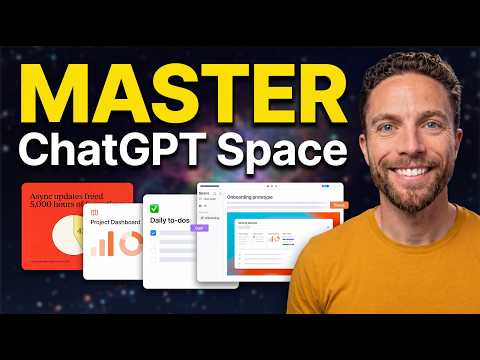
ChatGPT Space: 7 Incredible Use Cases You Need To Try
Summarised with Bite · 9 min read
This video is a fast tour of ChatGPT Spaces and, more importantly, Pages, which turn ChatGPT from a chat box into a shared workspace. The real value is not just writing inside ChatGPT, but being able to draft, revise, visualize, schedule updates, and collaborate with both AI and people in one place, which changes how you handle everyday work.
0:00 – 5:09
From library replacement to a living document editor
The video opens with a simple promise: this is not just another sidebar update, it is "a completely new way to work inside of Chat GPT." That framing matters because the host immediately contrasts what is old with what is actually new. Spaces, he explains, already gathers your generated images, sites, and even Google Drive files, so in one sense it replaces what used to be called the library. If you have ever made something in a normal ChatGPT chat and later wondered where it went, Spaces is the answer. But he quickly creates a curiosity gap by saying the standout feature is Pages, because that is where the workflow really changes. When he opens a Page, it looks almost deceptively ordinary, "like a simple text editor, similar to Notion." The surprise is that it is not just for typing. He demonstrates the first major use case with a speech draft. He writes a few lines, gets stuck on an awkward transition, highlights the sentence, and clicks "ask for change." Instead of starting over, he gives plain feedback: "I want to transition into the main stuff of the speech, but this line is awkward." ChatGPT suggests a rewrite, and he accepts it. That tiny moment captures the product's core idea: editing becomes a conversation built into the document itself. Then he expands from line edits to larger assistance. Using the generate tool, he inserts a prompt directly into the page, asking it to "Add some stats here about how valuable learning AI makes you to an employer." Later, he shows the difference between quick generation and deeper context. The ChatGPT button is for fast writing in a selected spot. The at symbol is for calling in ChatGPT or a custom dot to handle a task with more context, like finding emailed talking points and adding them into the script. Finally, the chat bar at the bottom acts like a document-level editor. He tells it, "clean up this script, make it teleprompter ready," and the page is rewritten into a usable speaking script. That progression is the real lesson. Pages is not one AI feature. It is several layers of collaboration, from sentence-level fixes to whole-document rewrites, all without bouncing between tabs.
2 more sections in the app
- 5:09 – 9:16Turning chats into pages, then into recurring workflows
- 9:16 – 13:55Visual workspaces, shared reports, group planning, and meeting notes
Summarised by Bite, an AI YouTube video summarizer that also works as a podcast summarizer.